
TaxBandits supports state-only filing for W-2 forms.
District of Columbia Form W-2 & Form WT Filing Requirements for 2024
Meet your District of Columbia W-2 filing requirements confidently with TaxBandits!
Lowest Pricing in the Industry - E-file at just $0.70/form
Simplify Your District of Columbia
W-2 Filing with TaxBandits!
- E-file W-2 with both federal and state
- We also support state-only filing
- Deliver employee copies by mail or online
- Free retransmissions and corrections
District of Columbia W-2 Filing Criteria for 2024
The State District of Columbia mandates W-2 filing regardless of state tax withheld.
| Filing Criteria | Form W-2 |
|---|---|
|
Criteria 1 If there is District of Columbia state tax withheld |
Filing Method: Direct State Filing Additional Form: Form WT Deadline: January 31, 2025 Pricing: W-2 State Filing - $0.70/form |
|
Criteria 2 If there is no District of Columbia State Tax Withholding |
Filing Method: Direct State Filing Additional Form: Not Required Deadline: January 31, 2025 Pricing: W-2 State Filing - $0.70/form |
| Criteria | Filing Requirement | Additional Requirement | Due Date |
|---|---|---|---|
|
If there is any District of Columbia state |
You must file a W-2 directly with the state E-file with TaxBandits |
Form WT Transmittal for Paper Forms W-2 and 1099 |
January 31, 2025 |
|
If there is no District of Columbia State |
You must file a W-2 directly with the state E-file with TaxBandits |
Not Required |
January 31, 2025 |
Ready to E-file the W-2 Form with the District of Columbia State?
Information Required to File W-2 Forms with District of Columbia
Discover the key information needed to file Form W2 with the State of District of Columbia.
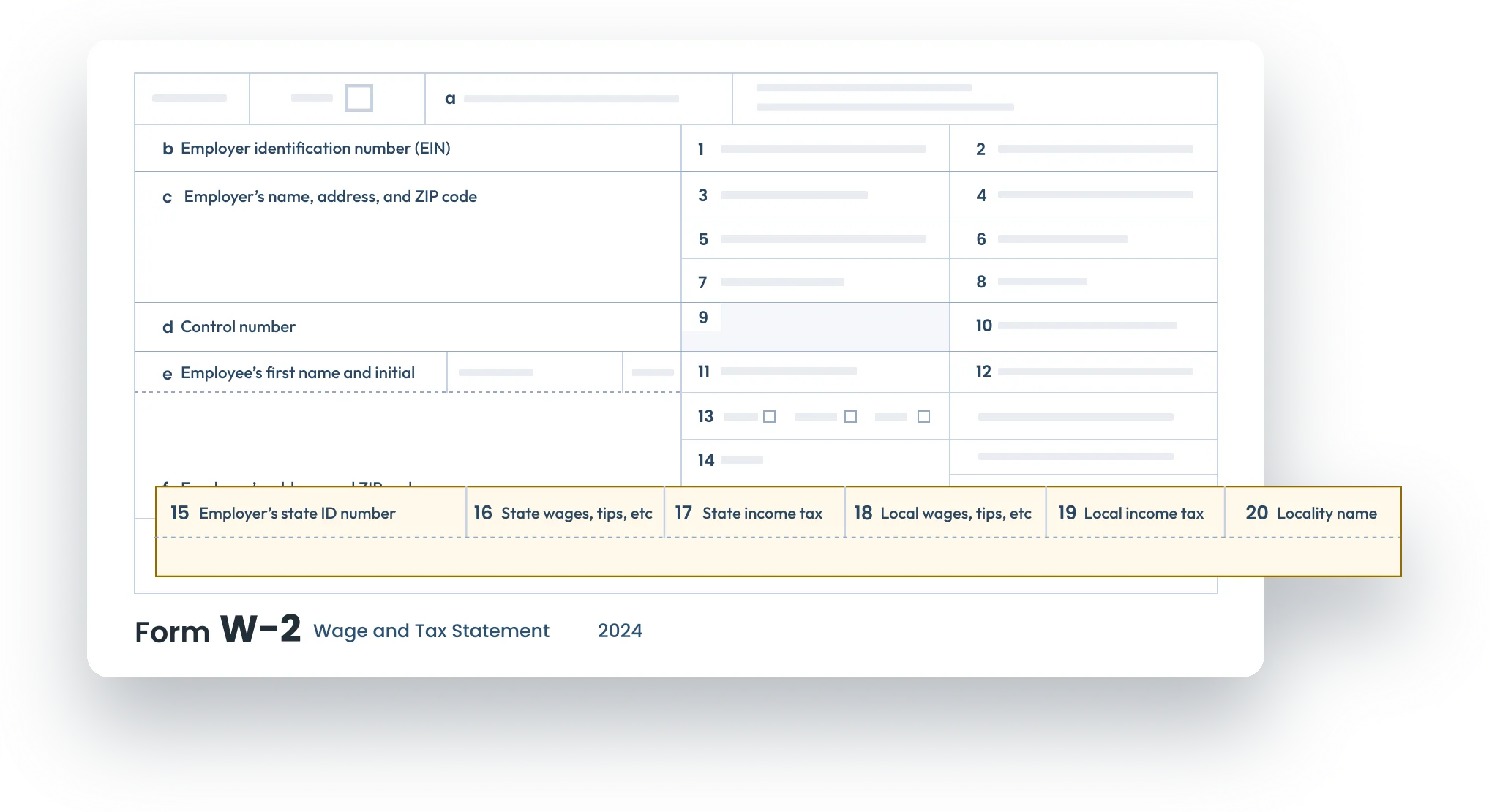
1. Employer’s state ID number
The employer's state identification number refers to the District of Columbia Withholding Tax Account Number.
District of Columbia State ID Format:
- 12 digits (Eg: 999999999999)
- The state also accepts Federal TIN with a suffix of 3 Zeroes as the state ID number.
2. District of Columbia state wages
The total amount of taxable wages, and tips, is subject to the District of Columbia state income tax.
3. District of Columbia state tax withheld
The total amount of state income taxes withheld from the employee’s wages.

If you’ve withheld any District of Columbia taxes, you must file Reconciliation Form WT.
E-file with the District of Columbia state in minutes using TaxBandits!
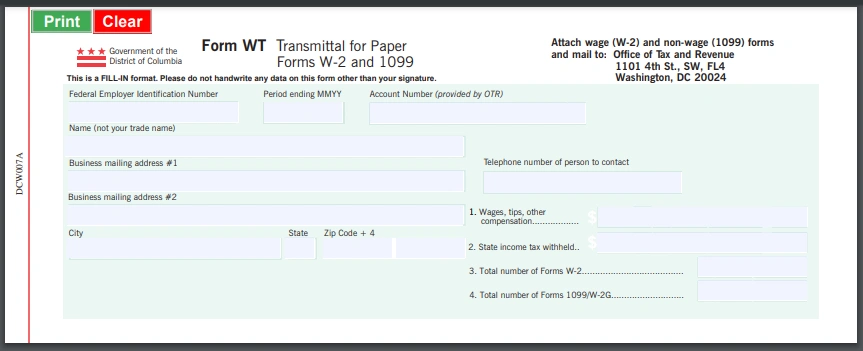
District of Columbia Transmittal Form WT
Form WT is a transmittal form employers and payers use to report the total amount of state income tax withheld from employees’ wages and other taxable payments throughout the year.
Information Reported on Form WT:
- Federal Employer Identification Number
- Period ending MM/YY
- Account Number
- Wages, tips, other compensation
- State income tax withheld
E-file W-2 with District of Columbia state in minutes using TaxBandits!
TaxBandits – Simplifying District of Columbia State W-2 Compliance
TaxBandits supports the e-filing of W-2 forms forms directly with the District of Columbia Department of Revenue, ensuring compliance with state regulations.
 Supports State-Only Filing
With TaxBandits, you can file W-2 forms directly with your state, even if you don’t file your federal W-2 with us.
 State Filing Guidance
TaxBandits provides step-by-step instructions to complete the e-filing process from start to end without any hurdles.
 Free W-2 State Corrections
TaxBandits supports e-filing of W-2 corrections with the District of Columbia at no additional cost if the original form was filed with us.
 Free Resubmissions
If your W-2 forms are rejected by the District of Columbia Department of Revenue, you can correct errors and resubmit them for free.
Start filing your District of Columbia W-2 returns with TaxBandits by creating an account!
How to File District of Columbia W-2 with TaxBandits?
Create your account and follow these steps to easily e-file your W-2s with the State of District of Columbia!
-
Step 1:Choose Form W-2
Select the type of W-2 form you want to file.
-
Step 2:Enter Form W-2 details
Complete the form using manual entry or other bulk import options.
-
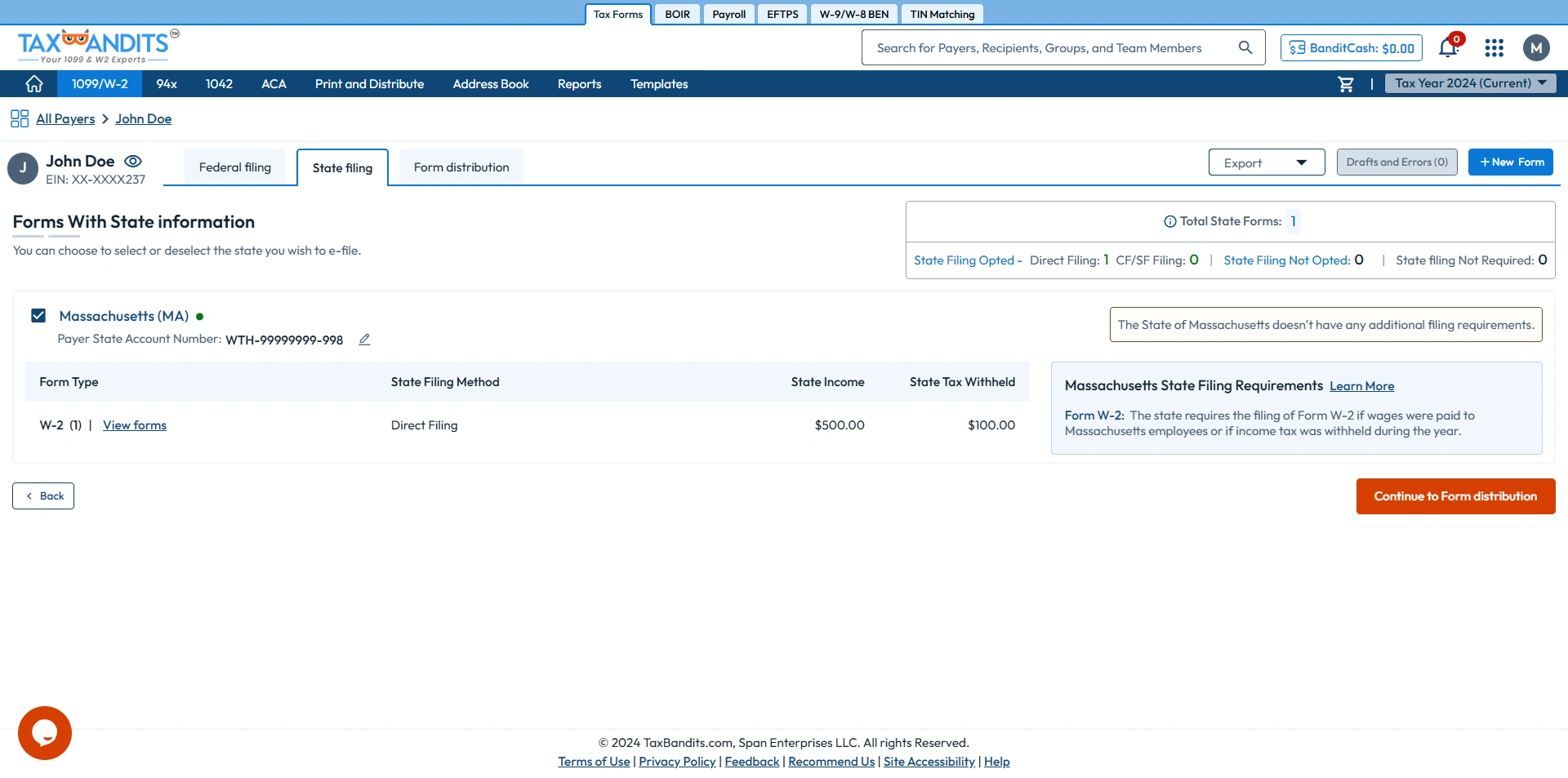
Step 3: Enter State Filing Information:
Provide the required District of Columbia state details for Form W-2.
-
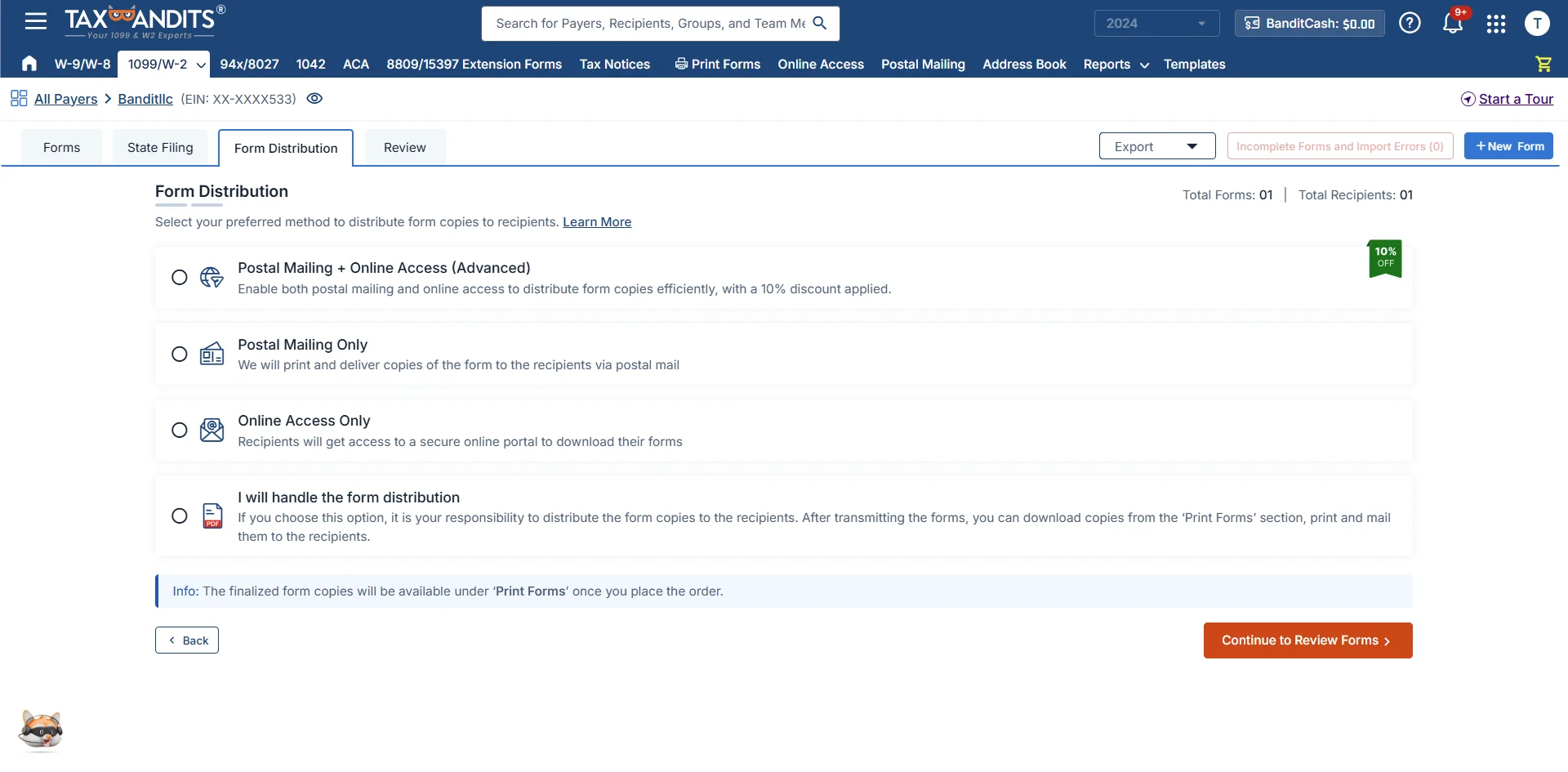
Step 4:Choose Distribution Options
Select the form distribution option — postal mailing, online access, both, or print and mail yourself.
-
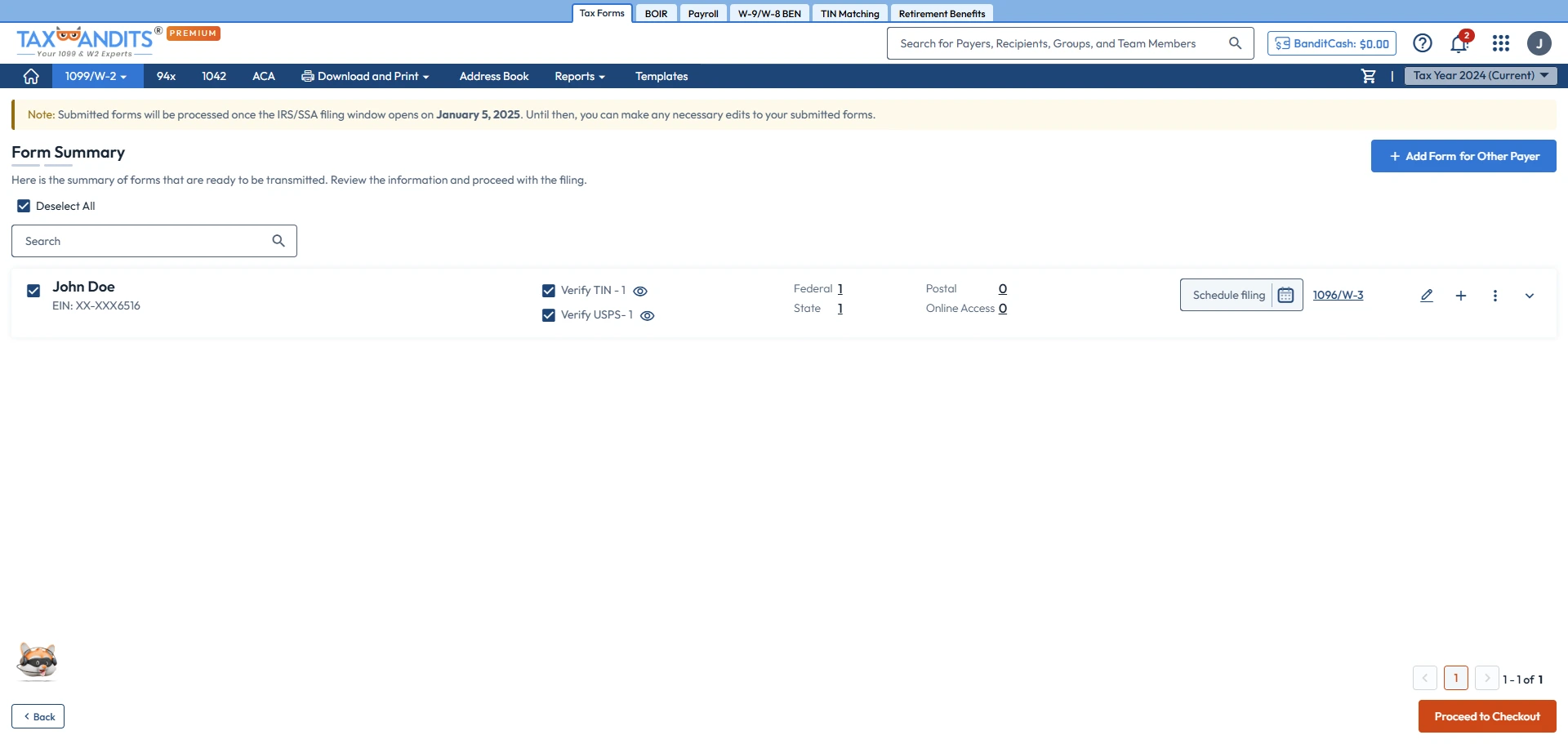
Step 5:Review and Transmit
Review your form and transmit it to the IRS and state agencies.
-
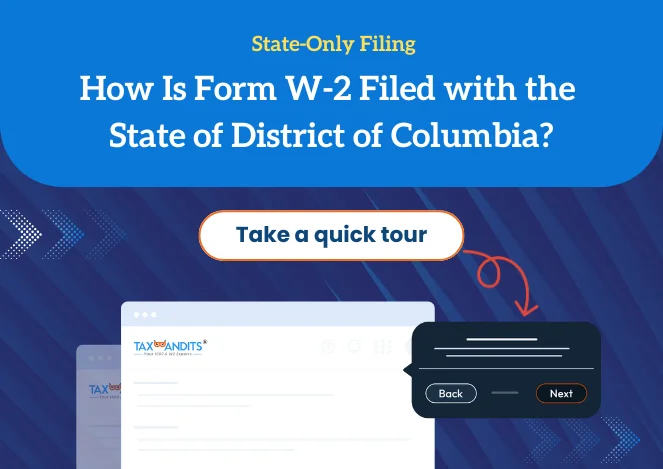
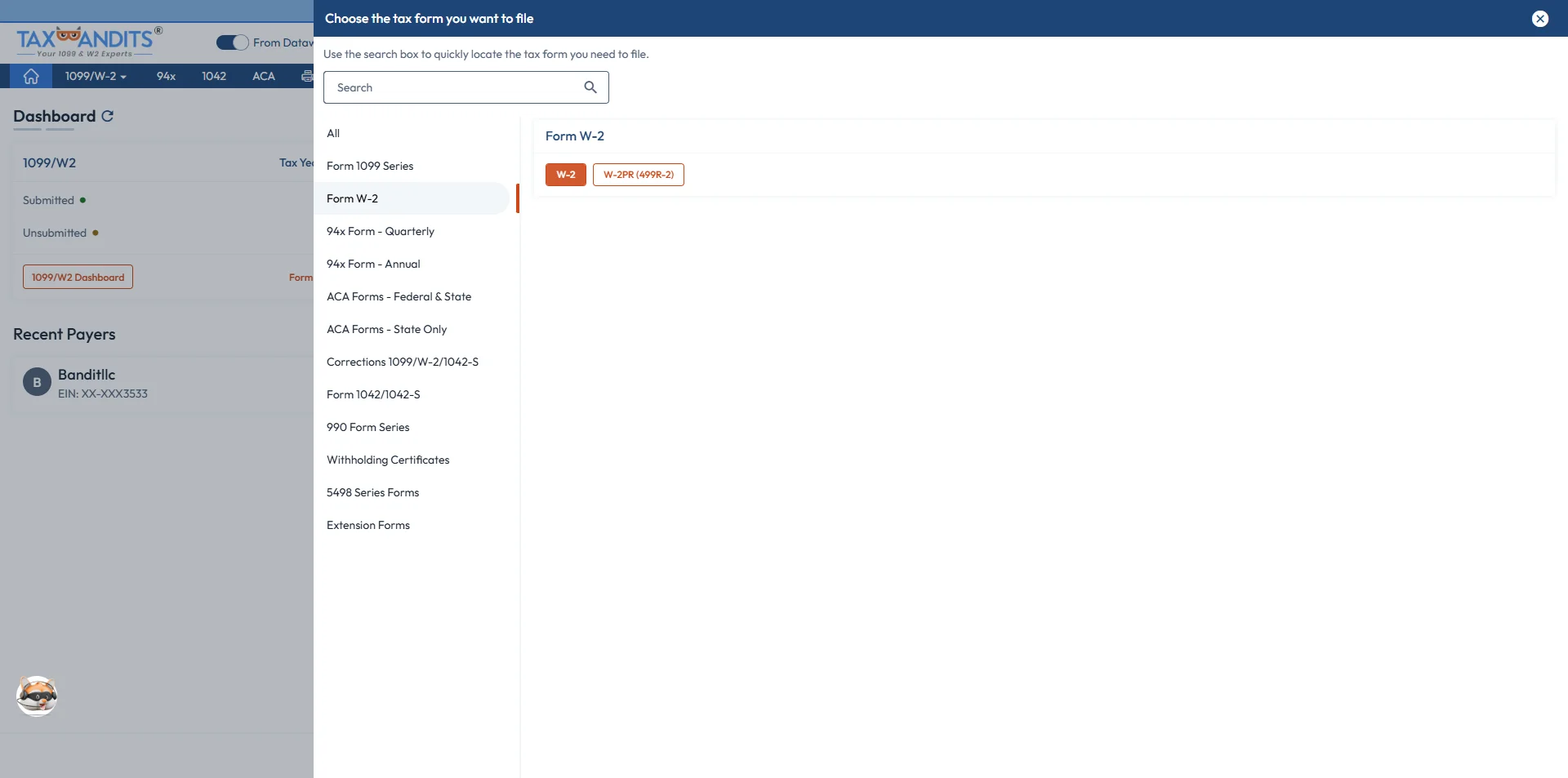
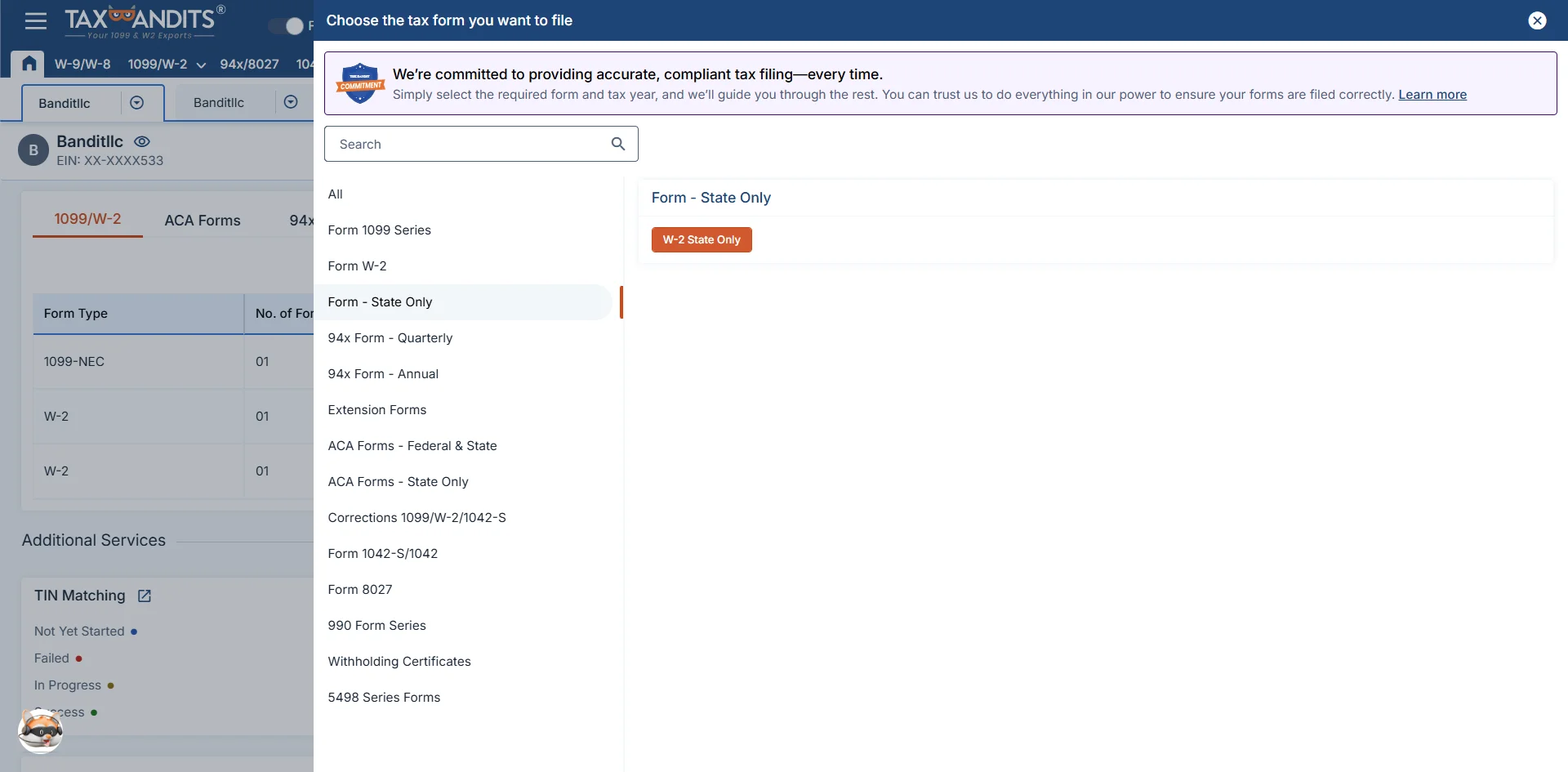
Step 1:Choose Form W-2 State Only Filing
Select Form W-2 State Only filing from the Dashboard.
-
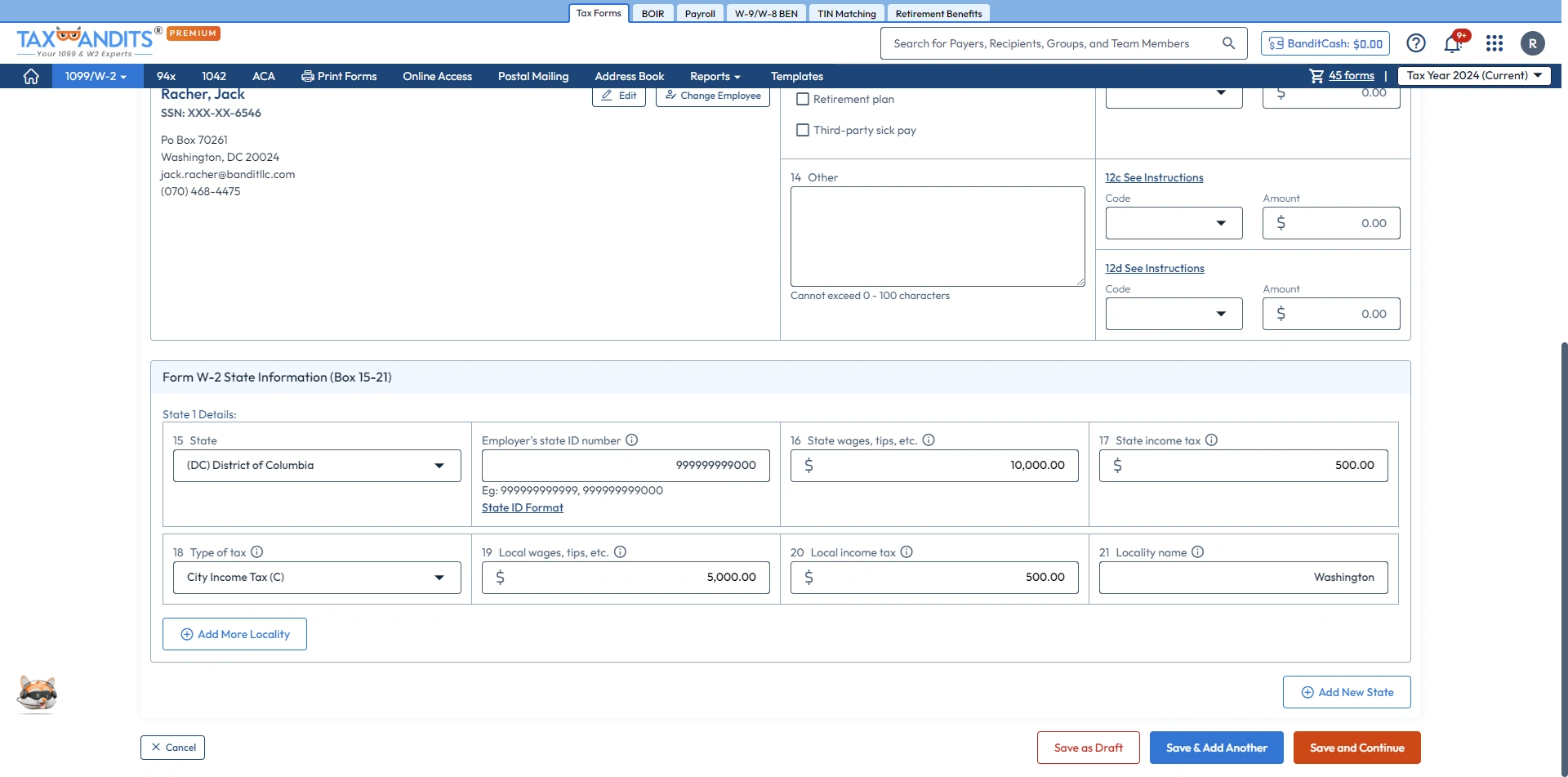
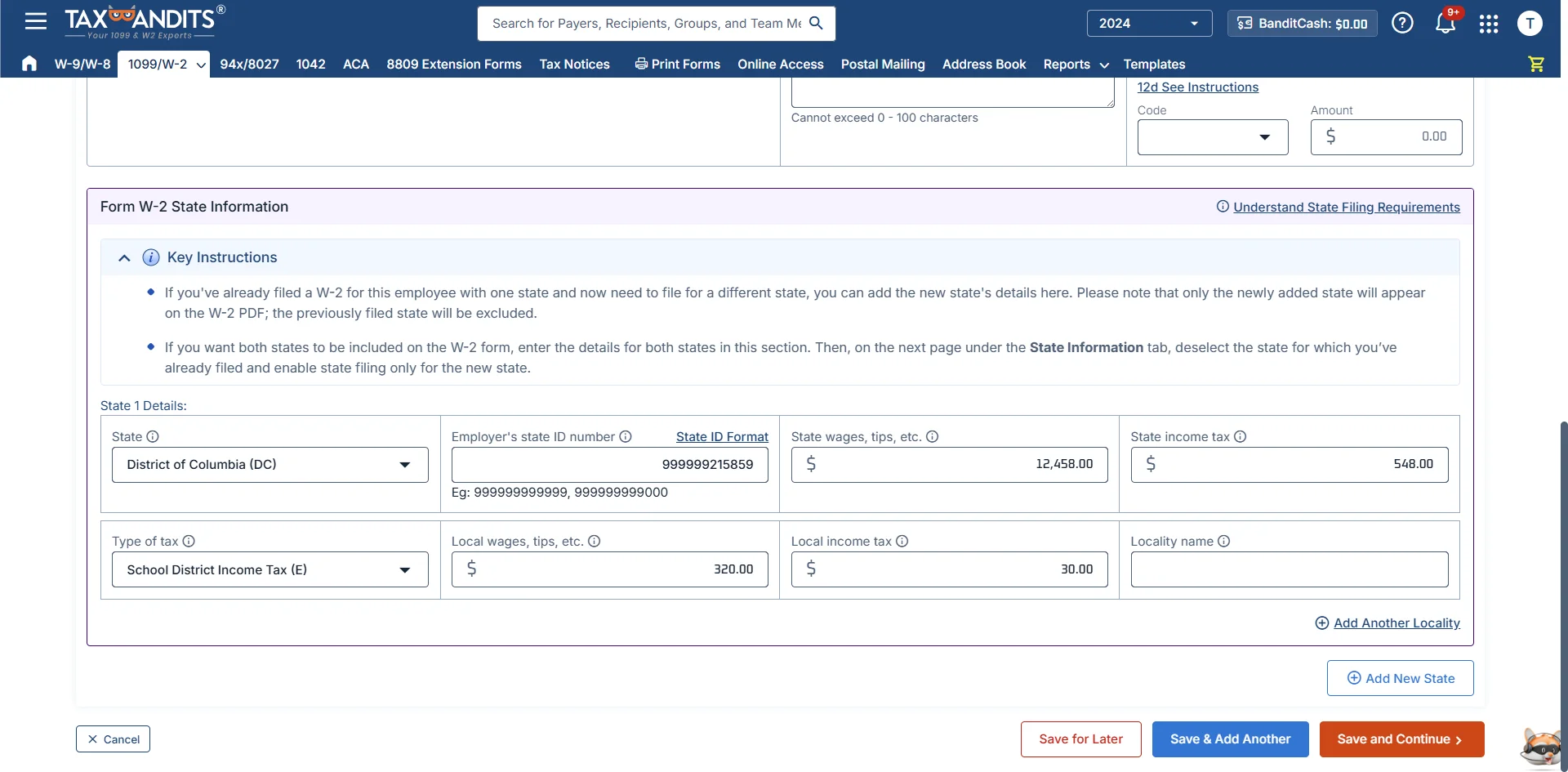
Step 2:Enter Form W-2 and State Information
Complete the W-2 and the required state information.
-
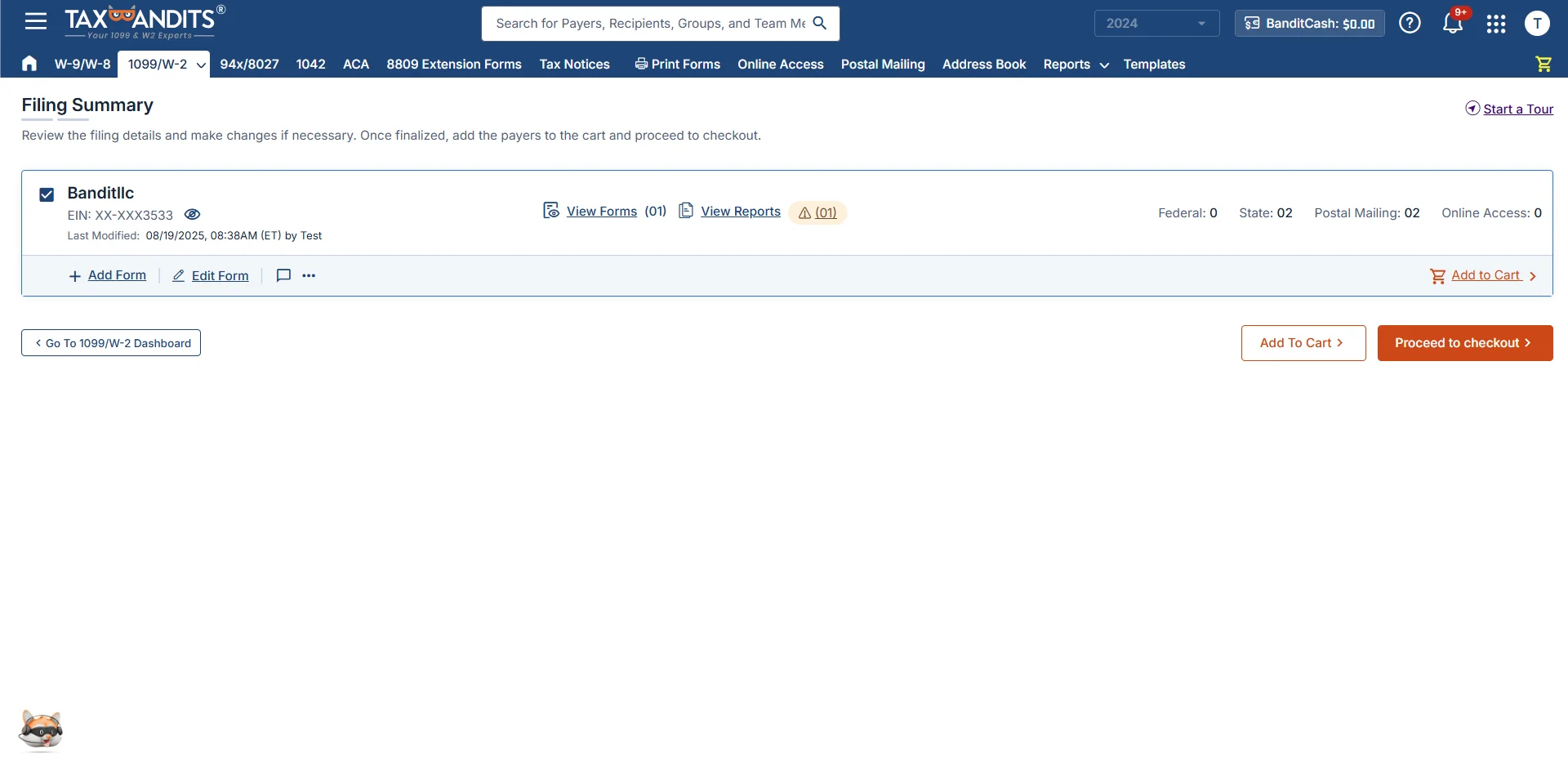
Step 3:Choose Distribution Options
Choose a form distribution method – postal mailing, online access, or printing and mailing yourself.
-
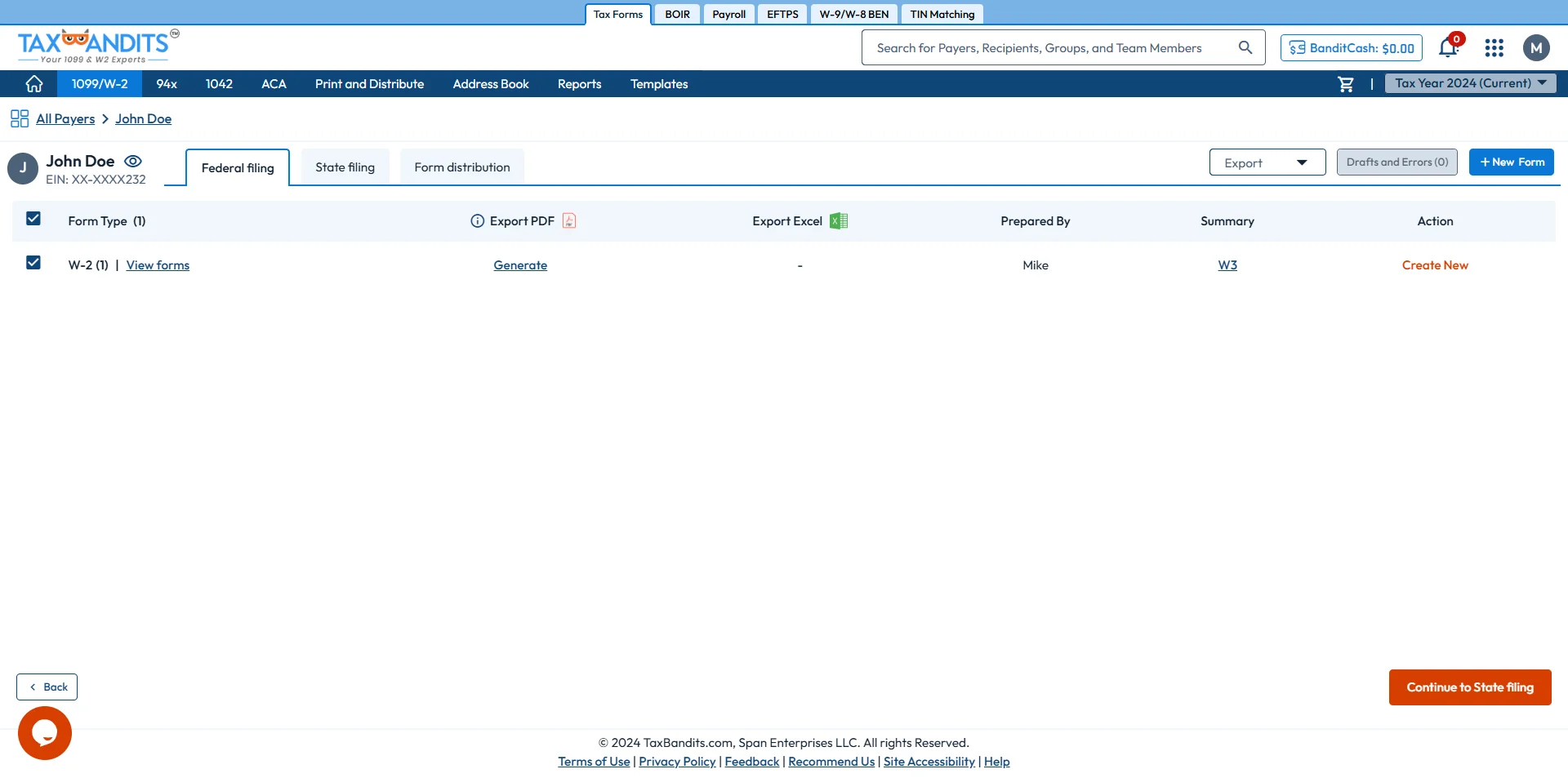
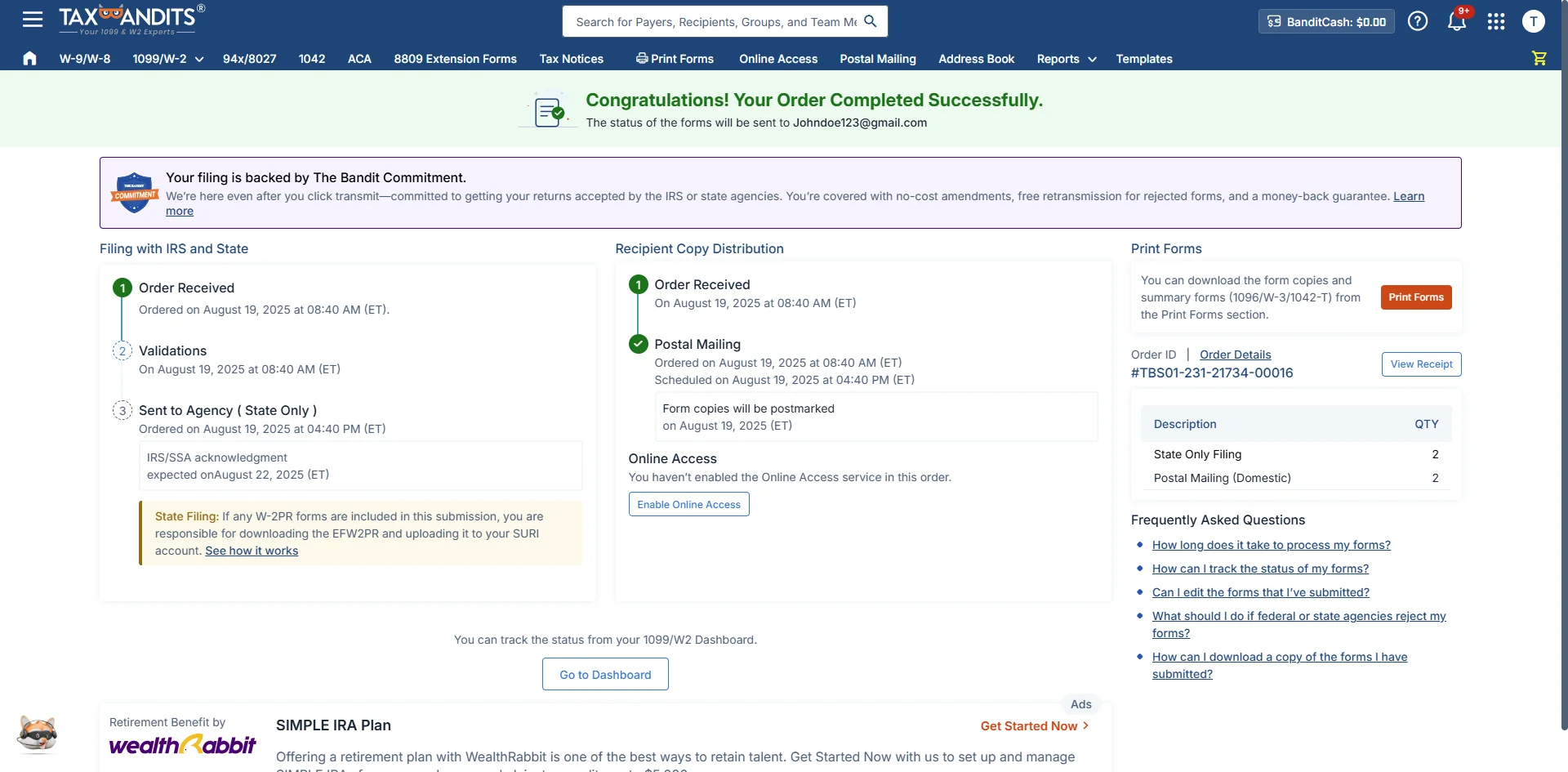
Step 4:Review and Transmit to State
Review your form and transmit it to the District of Columbia.
Are you ready to begin e-filing your W-2 Form with the District of Columbia State? File in minutes with TaxBandits!
Frequently Asked Questions
Does the District of Columbia require W-2 filing?
Yes, the state of Columbia requires W-2 forms to be filed, even if no state tax is withheld.

TaxBandits enables you to file W-2 forms directly with the state of the District of Columbia, even if you filed your federal W-2 elsewhere. E-file now
Does the District of Columbia require any additional forms to be submitted with W-2s?
Yes, the state requires additional forms, depending on your filing method.
- When you e-file W-2s, you don’t have to submit any additional forms. TaxBandits can assist you in completing your W-2.
- When you paper file W-2, you are required to attach the paper copies of Form WT and W-3.
When is the deadline to file W-2 with the District of Columbia?
The deadline to file Form W2 with the District of Columbia is January 31. (If the deadline falls on a weekend or federal holiday, the next business day is the deadline.)
Can I electronically file W-2 with the District of Columbia?
Yes, the District of Columbia accepts electronic filing of W-2. You must transmit W-2s electronically when filing 25 or more forms.
Looking for an e-file service provider? TaxBandits simplifies W2 Online filing with the District of Columbia and the SSA. When you e-file with us, you can grant your employees access to view/download their W-2s via TaxBandits’ Online Access Portal.
What are the W-2 penalties for the District of Columbia?
As an employer, you are subject to penalties if you file W-2 late and/or pay the taxes late.
W-2 penalties for the District of Columbia - 2024
| Form W-2 | Penalty | Interest |
|---|---|---|
| Not filing W-2 by the due date | 5% of your unpaid taxes per month until you file your W-2s. The penalty will not exceed 25% of your taxes. | - |
| Not paying the state taxes | 5% of your unpaid taxes per month until you file your W-2s. The penalty will not exceed 25% of your taxes. | 10% per year, compounded daily |
| Underpayment of taxes | 20% of your unpaid taxes | - |
Learn more about Form W-2 penalties.
Can I file W-2c with the District of Columbia?
Yes, you can electronically file W-2c after identifying errors in previously filed W-2s. The state also accepts paper filings of the W-2c. If you choose to e-file, TaxBandits is ready to assist you with W-2c e-filing with the District of Columbia.
Create your FREE account now to start e-filing your W-2c forms.
Where do I mail W-2 forms when filing with the District of Columbia?
The District of Columbia requires electronic filing of W-2 forms only if the total number of forms is 25 or more. If you plan to file fewer than 25, you may submit paper copies of the W-2 forms.
Whether you file 25 or more forms, e-filing is more convenient, and the state will process your W-2s at a faster rate. Sign up with TaxBandits, an IRS-certified e-file provider, to transmit your W-2s hassle-free.
If you’re looking for an IRS-certified e-file provider, check out TaxBandits! We support the e-filing of W-2 with the SSA and states.

1101 4th St., SW, FL4,
Washington, DC 20024
Get started with TaxBandits today and stay compliant with the State of District of Columbia! Start Filing Now

Success Starts with TaxBandits
An IRS Authorized E-file provider you can trust

