
 BanditAI
Reliable 1042-S filing solution, built for everyone
Whether you file a handful of forms or manage high-volume 1042-S submissions, our software scales with your reporting needs.
Simplified 1042-S filing for Businesses of all sizes.
Stay compliant with foreign income reporting requirements without adding administrative burden.

Fast Preparation & IRS E-Filing
Generate and transmit 1042-S forms quickly with bulk data import, secure W-8 collection, and structured workflows.

Guidance at Every Step
Built-in AI assistant and our expert support team help you navigate income codes, withholding rules, and compliance requirements.

Built-In IRS Validations
Automatically detect missing data, incorrect withholding amounts, and code mismatches before submission.

Secure Recipient Copy Distribution
Send recipient copies via postal mailing or secure online access, ensuring compliance with the IRS requirements.
Multi-Client 1042-S Filing, Structured for Tax Firms
Manage foreign income reporting across clients with full visibility, delegation control, and secure collaboration.

Bulk Filing
Upload thousands of 1042-S records across multiple clients using our standard CSV template and validate them before transmission.

Centralized Dashboard
Monitor filing status, corrections, and deadlines for every client in one consolidated view.

Branded Client Portal
Collect client data securely, share draft returns for review through your firm-branded portal.

Role-Based Team Access
Assign filing responsibilities to staff with controlled access levels while maintaining firm-wide oversight.
Enterprise-Scale 1042-S Reporting Infrastructure
Standardize foreign withholding compliance across departments, entities, and high-volume filing environments.

High-Volume Processing at Scale
Process thousands of 1042-S forms efficiently with structured data imports and optimized filing workflows.

Custom Requirements, Fully Supported
We accommodate complex enterprise-specific needs, including SSO setup, API and multi-entity reporting.

Personalized Branding
Customize recipient portals and email notifications to reflect your company’s branding.

Streamlined Workflow
Invite teams, assign precise roles, and delegate filings with clear ownership and approval workflows.

The Bandit Commitment
Ensuring the right outcome for every 1042-S you file.
With TaxBandits, 1042-S filing goes beyond just submission. Our focus is accuracy, acceptance, and accountability, from data ingestion through IRS acceptance and beyond.
The Bandit Commitment defines how we approach compliance: prevent errors before filing, guide you during filing, support corrections when required, and stand behind every transmission.

Getting the right data in
Compliance begins with clean, validated recipient and withholding data—well before your 1042-S is transmitted.

Simple, guided filing
Structured workflows support federal submission, recipient copy distribution, and post-filing tracking, all within a single platform.

No-cost corrections & retransmissions
Corrections and retransmissions are included with your original filing to ensure the right outcome without additional fees.

Money-back guarantee
If a 1042-S is not accepted or is a duplicate, the filing fee may be refunded.
How to file 1042-S online with TaxBandits
It’s simple! TaxBandits provides a structured workflow to manage 1042-S reporting accurately and at scale.
Import data and prepare forms
TaxBandits provides flexible options to prepare and organize your 1042-S data efficiently before filing.
-
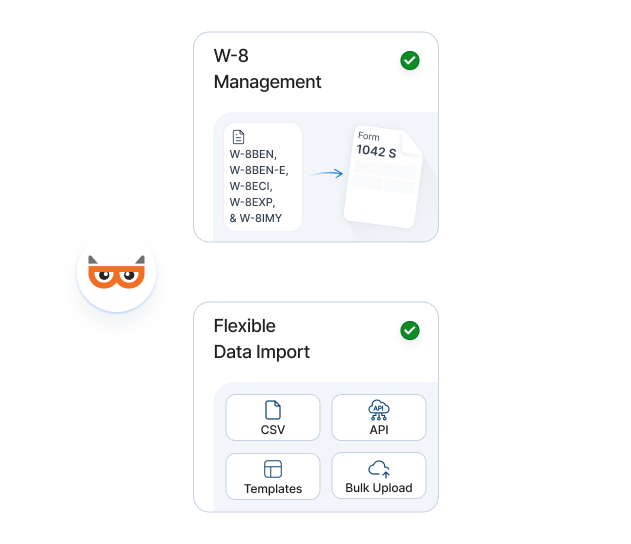
W-8 Collection & Management
Before you file, collect and validate W-8 forms (W-8BEN, W-8BEN-E, W-8ECI, W-8EXP, W-8IMY) to support accurate withholding classification and 1042-S reporting.
-
Flexible Data Import
Import 1042-S filing data through CSV or custom templates. You can also integrate our API directly into payroll, ERP, or internal financial systems.
Ensure accuracy with validations
Our system performs validations at multiple stages of your filing to minimize rejections.
-
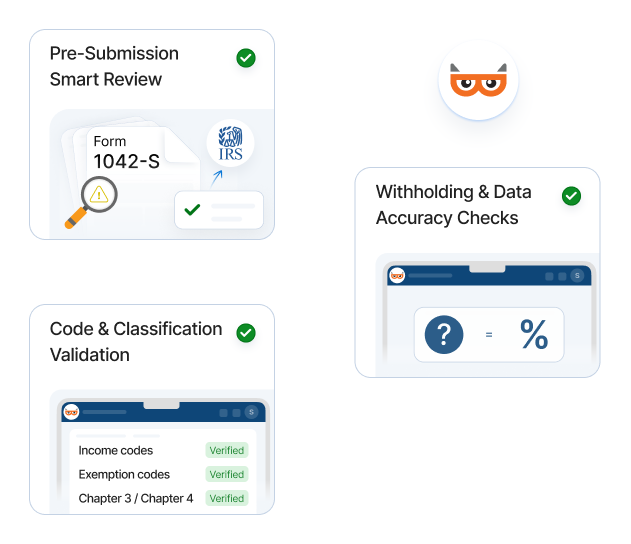
Code & Classification Validation
Verify income codes, exemption codes, and Chapter 3 / Chapter 4 indicators to ensure accurate withholding classification.
-
Withholding & Data Accuracy Checks
Confirm withholding amounts align with reported income and detect missing or improperly formatted recipient details.
-
Pre-Submission Smart Review
Identify inconsistencies and flagged issues before IRS transmission to improve acceptance rates.
E-file to the IRS. Distribute copies
Transmit securely, fulfill IRS requirements, and maintain visibility after submission.
-
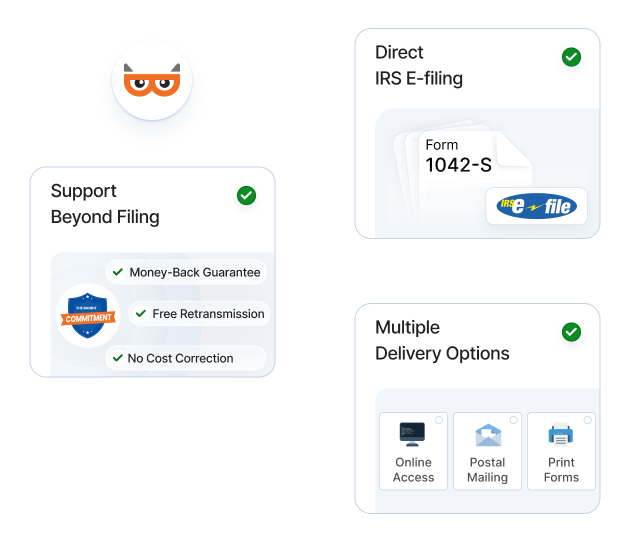
Direct IRS E-Filing
Submit 1042-S forms electronically through our IRS-authorized software.

You’ll receive an IRS acknowledgment of your e-file submission by email within one business day.
-
Recipient Copy Distribution — Including Foreign Addresses
Deliver recipient copies via postal mailing (domestic and international), or electronically through a secure online portal.
-
Support Beyond Filing
If issues arise, you’re covered under the Bandit Commitment with no-cost corrections and retransmissions.
Supporting diverse 1042-S reporting needs across industries
From education to finance, organizations across industries rely on TaxBandits for structured, compliant 1042-S filing.

Universities & Educational Institutions
Report payments to foreign students, scholars, and researchers with accurate withholding classification.

Financial Institutions & Investment Firms
Manage substitute dividends, interest income, and other foreign payments with structured validation and scalable filing workflows.

Gig Platforms
Report payments to international freelancers and contractors with proper withholding treatment and bulk filing capability.

Trading and Investment Companies
Comply with withholding and reporting requirements for foreign investors across diverse income types.

Gaming and Casinos
Accurately report winnings paid to foreign individuals with validated income classification and secure distribution.

Payment Platforms
Process and report cross-border payments for clients with structured data import and high-volume filing support.
Trusted by thousands of businesses and firms
From small businesses to large institutions, filers trust TaxBandits to manage complex foreign withholding reporting with accuracy and accountability.
Trusted and loved by users like you.
4.9 rating of 52,784 reviews
Trusted and loved by users like you.
4.9 rating of 52,784 reviews
Transparent, volume-based pricing
Pay only for what you file. No subscriptions. No hidden fees.
- IRS-Authorized
- High Acceptance Rate
- Year-Round Coverage
Federal Filing
First 10 Forms
$2.75/form
11-100 Forms
$1.75/form
101-250 Forms
$1.15/form
251-500 Forms
$1.00/form
501-2000 Forms
$0.80/form
Recipient Copy Distribution
Online Access
$0.50/form
Domestic Mailing
$1.85/form
International Mailing
$4.99/form
Domestic Mailing +
Online Access (Combo) 10% OFF
$2.35/form
$2.12/form
We don’t stop at 1042-S—TaxBandits has you covered for Form 1042 too
We also simplify the process for Form 1042, ensuring you meet all IRS reporting requirements for foreign withholding. From streamlined data
imports to secure submissions, we handle everything with accuracy and efficiency.
Helpful 1042-S resources
Get deeper insights on key topics to support your filing accuracy and compliance.
Frequently asked questions about 1042-S
What is Form 1042-S?
Form 1042-S, Foreign Person’s U.S. Source Income Subject to Withholding, is used to report U.S.-sourced income paid to foreign individuals or entities that is subject to withholding under Chapter 3 or Chapter 4 of the Internal Revenue Code.
This includes interest, dividends, rents, royalties, compensation, scholarships, gambling winnings, and other fixed or determinable annual or periodic (FDAP) income.
Who must file Form 1042-S?
Form 1042-S must be filed by withholding agents who pay U.S.-sourced income to foreign persons subject to withholding.
This may include employers, financial institutions, universities, corporations, investment firms, gaming establishments, and other businesses making reportable payments to foreign individuals or entities.
What types of income are reported on Form 1042-S?
Form 1042-S reports various types of U.S.-sourced income paid to foreign individuals or entities. This includes:
- Interest
- Dividends
- Rents and royalties
- Scholarships and grants
- Compensation for services
- Pensions and annuities
- Gambling winnings
- Other fixed, determinable, annual, or periodic (FDAP) income
However, certain types of payments are exempt from reporting on 1042-S. Click here to learn more information about the payment exceptions.
What information is required to file Form 1042-S?
To file Form 1042-S accurately, you will generally need the following information:
-
Payer & Recipient Information
Provide the legal name, address, and Taxpayer Identification Number (TIN), as required. A Global Intermediary Identification Number (GIIN) may also be required in certain cases.
-
Payment Information
Report the total U.S.-sourced income paid to the foreign person, the applicable income code classification, and the amount of tax withheld.
-
Primary Withholding Agent Information
If reporting amounts withheld by another agent, include the name and EIN of the primary withholding agent.
-
Intermediary or Flow-Through Entity Information (if applicable)
Provide the intermediary’s name, GIIN, EIN, and applicable Chapter 3 and Chapter 4 status codes.
-
State Withholding Information (if applicable)
Include any state income tax withheld, along with the state name and state payer identification number.
What is the difference between Form 1042 and Form 1042-S?
Form 1042 is the annual tax return filed by withholding agents to report the total amount of tax withheld on payments made to foreign persons. Form 1042-S reports the specific income payments made to each foreign recipient, along with the tax withheld on those payments.
Get detailed information about Form 1042 and 1042-S.
When is the deadline for filing Form 1042-S?
The deadline to file Form 1042-S with the IRS and furnish recipient copies is March 15 following the reporting year. If the due date falls on a weekend or federal holiday, the next business day applies.
Missing the deadline or not requesting an extension may result in penalties. Click here to learn more about the penalties.
Can I request an extension to file Form 1042-S?
Yes! You may request an automatic 30-day extension to file Form 1042-S with the IRS by submitting Form 8809 before the original due date.
You may also request a 30-day extension to furnish Form 1042-S to recipients by submitting Form 15397. The form must be faxed to the IRS and received by the original due date.
When will I receive an IRS acknowledgment after e-filing?
You will receive an IRS acknowledgment of your e-file submission by email within one business day. Filing status can also be tracked from your dashboard.
Do I need a Form W-8 to file Form 1042-S?
A valid Form W-8 is generally required to document a recipient’s foreign status and determine the correct withholding rate, including any applicable tax treaty benefits.
Does TaxBandits support mailing recipient copies to foreign addresses?
Yes! Recipient copies can be mailed to both U.S. and international addresses or delivered through secure online access.

Ready to File Form 1042-S Electronically?
An IRS Authorized E-file provider you can trust


